The gap between the best and worst teleprompter apps is not the feature list — it is what you get before paying. Some apps lock basic recording behind a paywall. Others give you a "free trial" that expires after seven days. A few charge $15/month for what is essentially a text scroller with a speed dial.
This comparison tests six teleprompter apps on what actually matters when you are choosing one in 2026: voice tracking quality, free tier generosity, recording capability, and total cost of ownership.
Disclosure: I built Beast Teleprompter. The other apps were tested independently on iPhone 15 Pro, iOS 18.
What to Look For in a Teleprompter App
Before choosing, know what separates a useful tool from an expensive text scroller.
Voice-tracking scroll The app follows your voice instead of scrolling at a fixed speed. You pause, the text holds. You speed up, it follows. Without this, you are adjusting to the machine — which defeats the purpose of a teleprompter.
Free tier that actually works Check recording duration, script limits, and export watermark policy before choosing a free plan. Beast Teleprompter lets you write, prompt, record, and export for free. Paid members can choose to turn off the export watermark.
Floating prompt window Overlays your script on top of any other app. This is the feature that solves the "one phone, two tasks" problem — you can prompt while recording in TikTok, Instagram, Zoom, or any camera app.
Recording quality without surprises Look for 1080P recording and check whether watermark removal requires a subscription. Beast Teleprompter lets paid members choose to turn off the export watermark.
The 6 Apps Compared
Beast Teleprompter
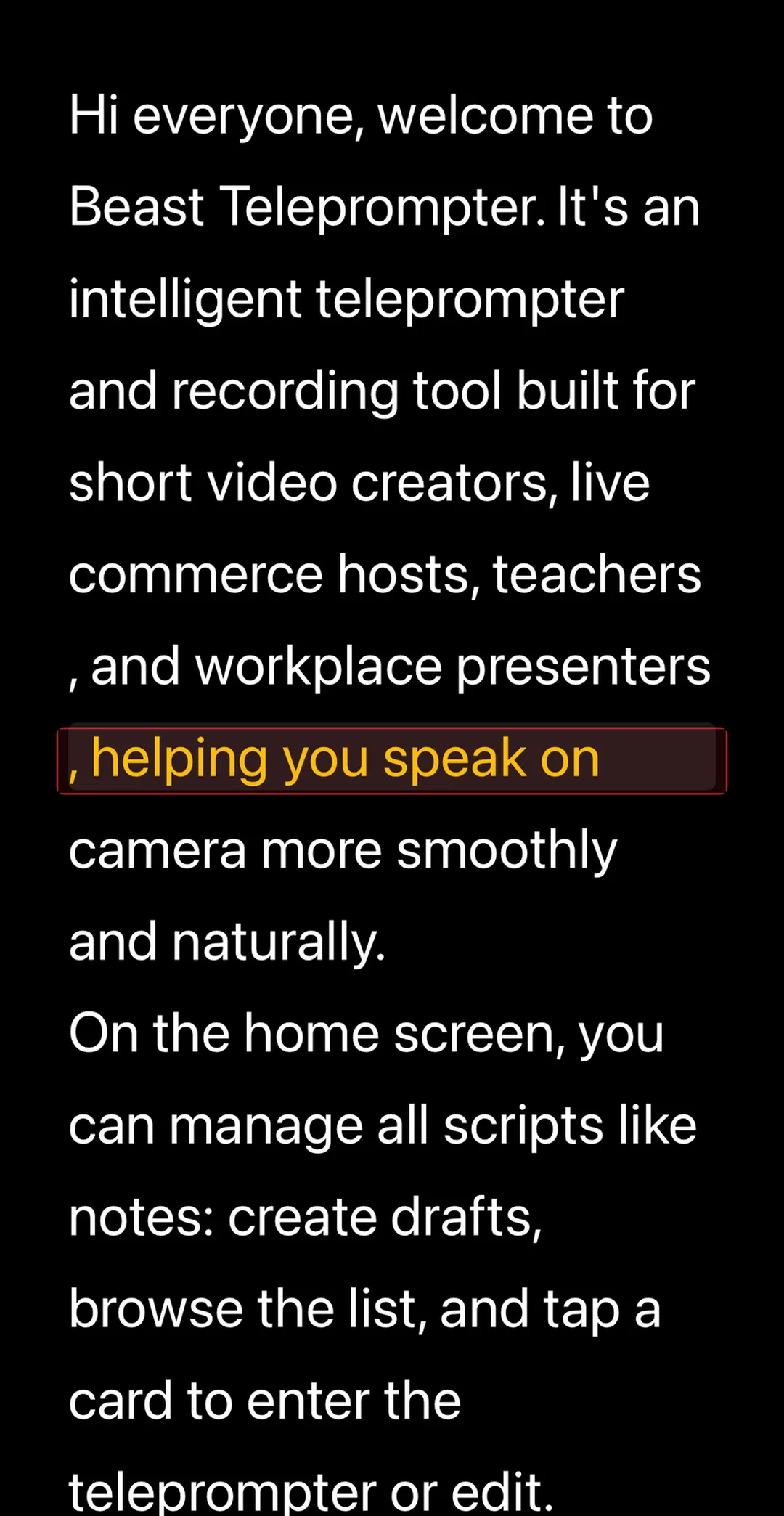
The app with the most generous free tier in the category. AI follow reading — voice-synced scrolling — is completely free with no session limits. Recording exports at 1080P. Five script slots included.
The trade-off is clear: Beast does fewer things than the heavy-weight competitors, but what it does, it does for free. No auto-captions, no AI script writing, no green screen. If you need a teleprompter that works without paying anything, this is it.
[+] Pros: AI follow reading free and unlimited · 1080P recording · Floating window on any app (Pro) · Lightweight, fast to open
[-] Cons: No auto-captions or subtitle export · No AI script writing · Fewer integrations than established competitors
Price: Free. Pro at $2.99/month or $29.99/year.
Beast Teleprompter's free plan includes AI follow reading, 1080P recording, and 5 script slots — no trial timer, no feature wall. The Pro subscription ($2.99/month or $29.99/year) adds the option to turn off the watermark, a floating prompt window, 4K recording, unlimited scripts, and iCloud sync across iPhone, iPad, and Mac.
PromptSmart Pro
The first app to ship voice-tracking scroll (they call it VoiceTrack). PromptSmart has been around longer than most competitors, and VoiceTrack still works reliably — for English. That is the catch: voice tracking only supports English. If you create content in Spanish, French, Portuguese, or any other language, this app cannot follow your voice.
The pricing model is unusual: $29.99 one-time purchase for the base app, plus an optional Extended subscription ($34.99/year) for remote control and file sync.
[+] Pros: Mature VoiceTrack technology · One-time purchase option · Imports Word, PDF, and Google Docs
[-] Cons: Voice tracking English only · Remote control requires extra subscription · Interface feels dated · No floating window
Price: $29.99 one-time. Extended at $3.99/month or $34.99/year.
Teleprompter.com
The most feature-complete teleprompter on the market. Voice-following scroll, AI rephrase, recording with captions, background replacement, and the widest hardware support of any app — Apple Watch, foot pedals, MIDI controllers, Bluetooth keyboards. If you run a professional production setup with external hardware, this is the app built for it.
The downside is cost and complexity. There is no free tier. Voice-following scroll is locked behind a paid subscription. And the feature density can overwhelm someone who just wants to read a script and hit record.
[+] Pros: Voice-following scroll works well · AI rephrase for scripts · Widest hardware remote support · Auto-captions and subtitle export
[-] Cons: No free tier — starts at $4.99/week · Voice tracking is paid only · Complex for beginners
Price: $9.99 or $19.99/month. $59.99 or $89.99/year.
BIGVU
Less of a teleprompter, more of a video production pipeline. BIGVU's real product is everything after the recording: AI eye contact correction, auto-captions, branded templates, green screen removal, and direct publishing to social platforms. The teleprompter itself scrolls at a fixed speed — no voice tracking.
If you need a complete script-to-publish workflow and your team cares about brand consistency, BIGVU delivers. If you just need a teleprompter, it is overbuilt and overpriced.
[+] Pros: AI eye contact fix · End-to-end video workflow · Brand kits and templates · Cloud access
[-] Cons: No voice tracking — fixed speed only · Starts at $14.99/month · AI eye contact can look unnatural on long clips
Price: $14.99 or $18.99/month. $89.99 or $139.99/year.
Teleprompter for Video
A solid all-rounder. Teleprompter for Video covers the basics — voice-assisted scrolling, floating prompt, 4K recording, green screen — and adds AI eye contact and AI script writing on top. It tries to do everything, and mostly succeeds.
The free version is the weakest part: scripts capped at 750 words, recording limited to about one minute without watermark. For anything beyond a quick test, you need to subscribe.
[+] Pros: Voice-assisted scroll + floating window · 4K recording, green screen, AI eye contact · AI script writing · SRT subtitle export
[-] Cons: Free tier limited to 750 words and ~1 minute · Voice scroll quality varies with noise · Advanced features locked behind higher tiers
Price: $8.99 or $9.99/month. $29.99 or $34.99/year.
Captions
Captions is an AI video editor that includes a teleprompter — not the other way around. The teleprompter feature is basic (fixed-speed scroll, no voice tracking). The real product is AI editing: auto-cut silences, AI dubbing into other languages, digital avatar generation, and text-to-video. At $9.99/month, it is expensive if you only want teleprompter functionality.
[+] Pros: AI editing suite (cut, zoom, denoise) · AI dubbing and translation · AI Twin avatar · Text-to-video
[-] Cons: No voice tracking — basic teleprompter · Expensive for teleprompter-only use · Heavy app, slow to process
Price: Pro at $9.99/month or $64.99/year. Max at $24.99/month.
How to Use Beast Teleprompter
Step 1: Download and Open
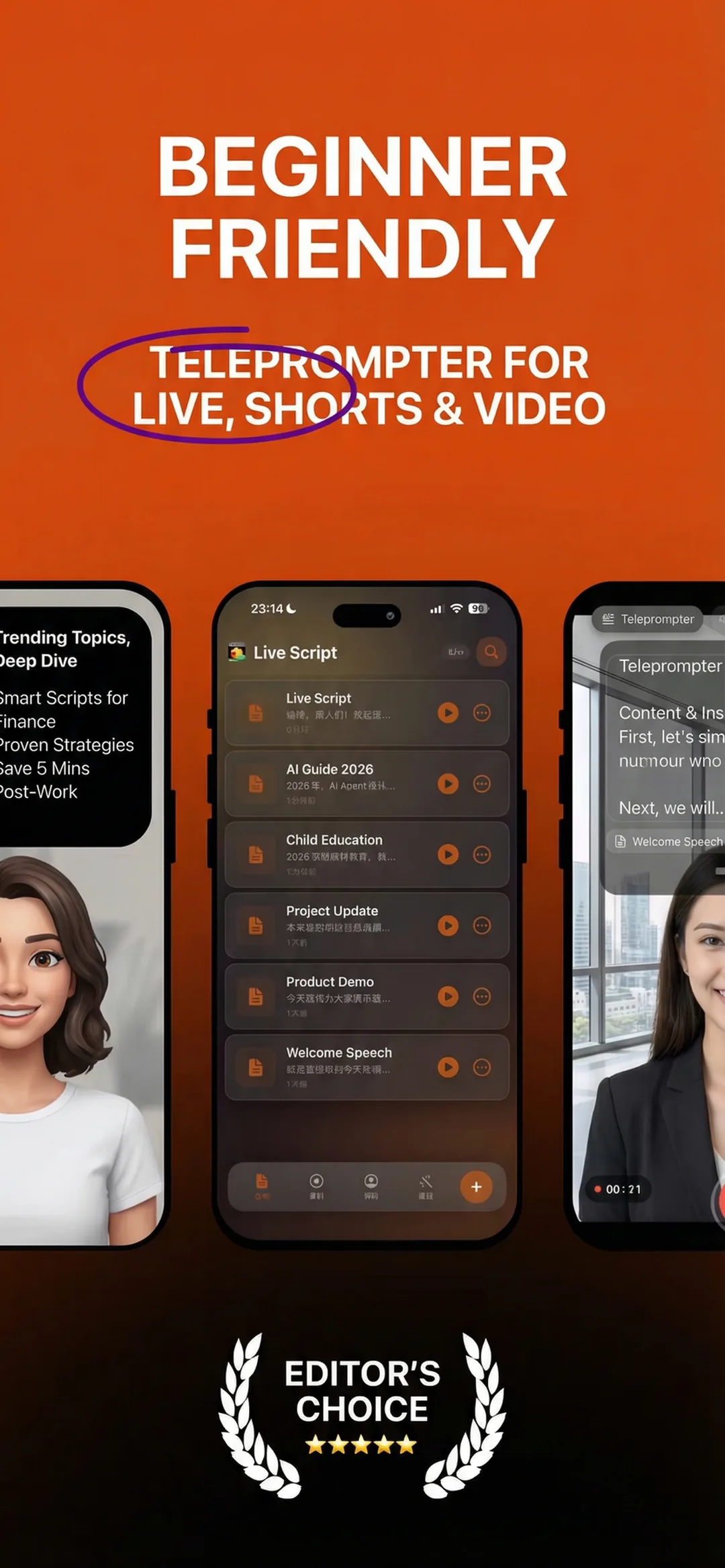
Download Beast Teleprompter from the App Store. No account, no sign-up. Opens straight to the script list.
Step 2: Create Your Script
Tap + to create a new script. Paste or type your text. No word count limit on the free plan (up to 5 scripts).
Step 3: Enable AI Follow Reading
Open the script, tap play to enter prompting mode, and select AI Follow Reading. Grant microphone access on first use.
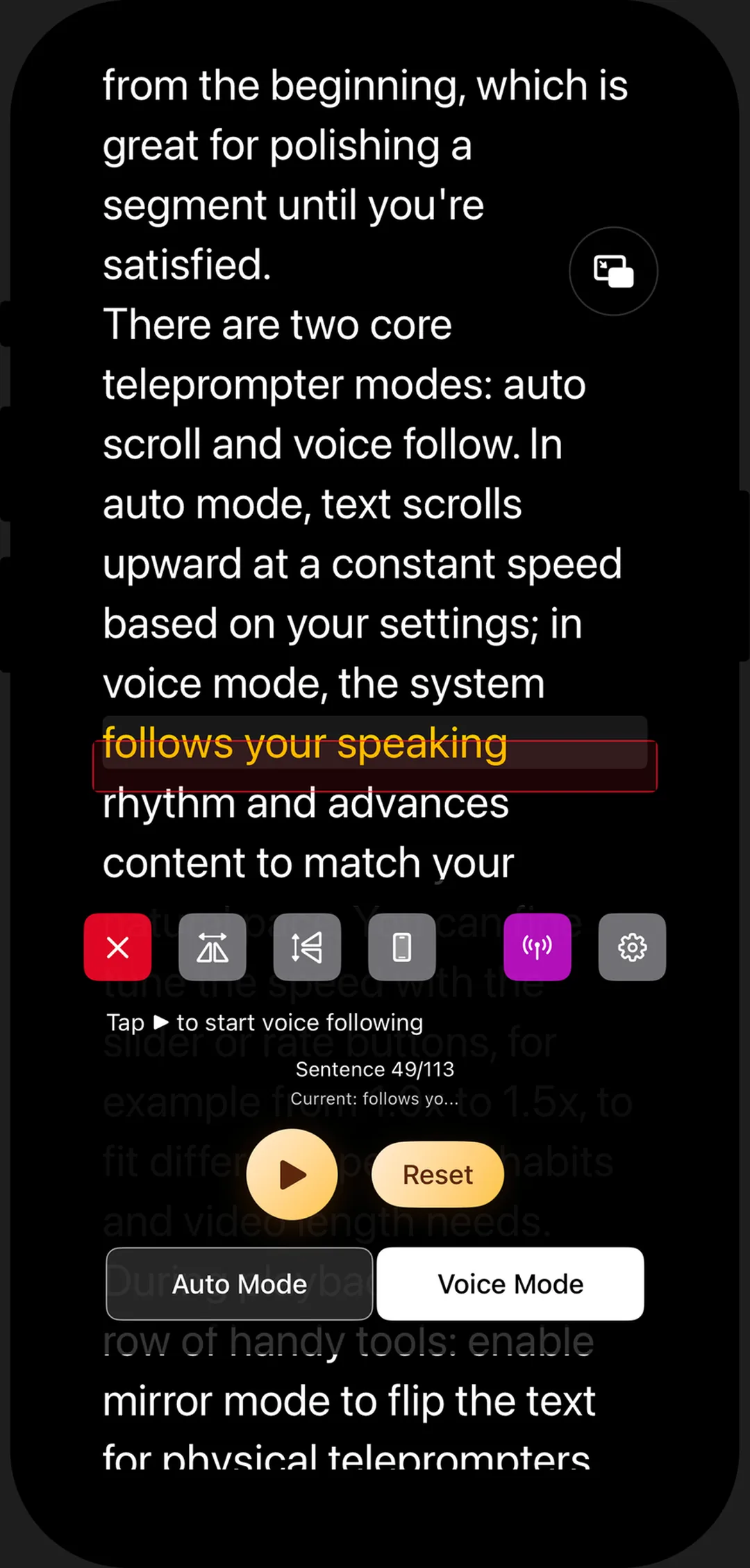
Step 4: Speak and Record
Start reading. The text scrolls with your voice. Tap record to capture video — 1080P.
Step 5: Export
Tap export. Video saves to camera roll. No processing wait, no cloud upload.
Beast Teleprompter's AI follow reading uses real-time voice recognition to scroll the script at your speaking pace. Pause and the text holds. Speed up and it follows. This feature is free on iPhone, iPad, and Mac — no subscription, no session cap, no word limit.
Frequently Asked Questions
What is the best free teleprompter app in 2026? Beast Teleprompter has the most complete free tier: AI follow reading, 1080P recording, and 5 script slots — permanently free, not a trial. Teleprompter for Video offers a free tier but limits scripts to 750 words and recording to about one minute.
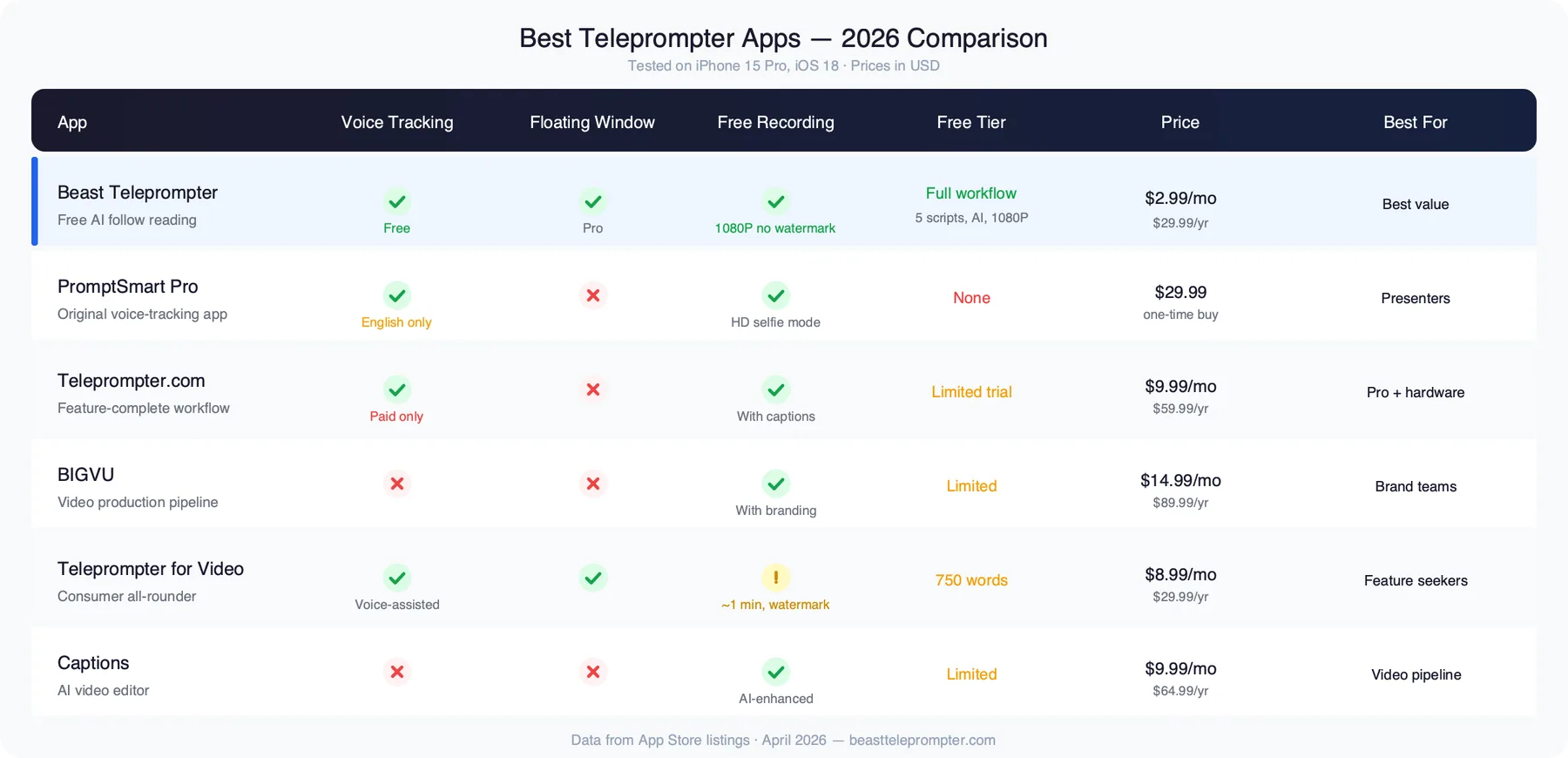
Which teleprompter app has voice tracking? Three of six tested apps offer voice-tracking scroll: Beast Teleprompter (free), PromptSmart Pro ($29.99 one-time, English only), and Teleprompter.com (paid subscription from $9.99/month). Teleprompter for Video offers voice-assisted scrolling with less precision. BIGVU and Captions use fixed-speed scrolling only.
Is a teleprompter app worth paying for? It depends on what you need beyond the free tier. Beast Teleprompter covers the full core workflow for free. Paying makes sense if you need a floating prompt window for multi-app setups, 4K recording, or features like auto-captions and green screen that only paid apps like Teleprompter.com and Teleprompter for Video offer.
Can I use a teleprompter app while live streaming? Yes. Apps with floating prompt windows — Beast Teleprompter (Pro) and Teleprompter for Video — overlay your script on top of live streaming apps like TikTok Live, Instagram Live, and YouTube Live.
Do I need a second device to use a teleprompter app? No. All six apps tested work on a single device. The floating prompt window lets you read the script while recording or streaming in another app on the same phone or tablet.
What is the cheapest teleprompter app with voice tracking? Beast Teleprompter — voice tracking (AI follow reading) is free with no restrictions. The next cheapest option with voice tracking is PromptSmart Pro at $29.99 one-time, followed by Teleprompter.com starting at $9.99/month.
Download Beast Teleprompter — free on the App Store for iPhone, iPad, and Mac.
By Sean — independent developer behind Beast Teleprompter.